Templates
Hotel Lobby AI Video Generator: Two Photos, One Orange Studio Clip
This is the two-person Hotel Lobby trend template: upload one clear portrait for the left performer and one for the right, then render a short vertical performance in a fixed orange studio. It is an independent trend-inspired workflow, not an official Migos app or a copy of the artists’ original footage.
- Two labelled portrait roles
- 15-second 720p orange-studio performance
- Fixed motion and synchronized performance audio
Create your video
1Role photos
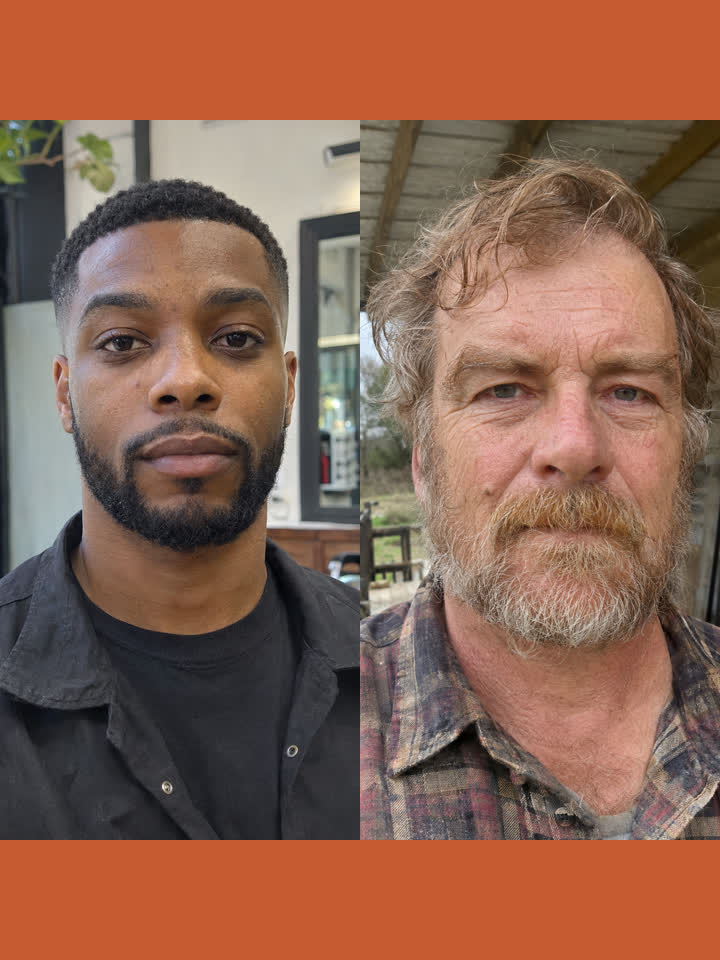
0/2Use one clear, front-facing portrait for each role. Keep the head and shoulders visible and avoid masks, heavy filters and faces covered by hands.
2Format
Reference clips are community trend material; AI clips may be our own test renders or community samples. Read the credit under each clip.
How it works
How to make a Hotel Lobby-style AI rap video
- 01
Choose two clear portraits
Use one recent, sharp photograph for each performer. Keep the face and shoulders visible, avoid sunglasses, masks and heavy filters, and make sure both adults have agreed to appear.
- 02
Map left and right
Upload the person who should appear on the left first, then the person for the right side. The template uses those two images as identity references while the fixed motion guide controls gestures, head turns, mouth timing and the locked camera.
- 03
Review the performance
Watch the full clip for identity swaps, face drift, hands, microphone placement and the orange studio background before sharing. Failed renders return their reserved credits automatically.
Made with Image to Rap Video
Role photos in, one rap performance clip out
No camera crew and no editing timeline. Upload the requested performer portraits and the model follows the selected template's motion, framing, timing and audio treatment.
Generated clip
What is the Hotel Lobby AI trend?
Hotel Lobby AI is the search name for a recognisable two-person rap format: one locked camera, a hanging microphone and a bright orange studio backdrop. The name is associated with the wider Migos and Hotel Lobby trend, but different websites use different models, source material and levels of consent.
Some tools generate a completely new scene and song for every request. Others use a fixed motion-and-audio template and map uploaded faces into the two visible roles. Those workflows can look similar in a social feed while producing very different results in the editor.
The community reference runs about 14.9 seconds and is used only for body movement, timing and camera position. The product exposes a 15-second output slot, ignores the line-art clothing and jewelry, redraws the scene as a realistic orange studio, and does not claim to reproduce the artists, their voices or their original recording.
The sample clips are community references rather than customer output from this site. Treat them as a demonstration of the direction, not a promise that every face, hand or microphone position will be identical in a new generation.
What this Hotel Lobby template includes
Two-role photo mapping
The generator exposes separate left and right slots so each uploaded portrait has an explicit place in the scene.
Orange studio staging
The backdrop, overhead microphone, warm lighting and locked camera are supplied by the template instead of being built from an empty prompt.
Motion from a fixed guide
The source controls the timing and broad performance motion; the uploaded portraits supply the two identities.
15-second 720p vertical MP4
The fixed output length and 9:16 framing are ready for TikTok, Reels and Shorts without a separate editing pass.
Synchronized performance audio
The model generates synchronized speech, ambience and sound effects for the performance. This version does not clone a real singer, accept a separate song or let users replace the lyrics.
Consent-first workflow
Upload only adults who gave permission. Public figures, minors, harassment and deceptive impersonation are not allowed.
What people use a Hotel Lobby-style video for
A two-person group-chat joke
Place two consenting friends in the same recognisable studio scene and give the group something more personal than a reposted meme.
A short reaction or entrance
Use the left and right roles to create a quick performance introduction for a profile, event or creator post.
A trend-aware fan edit
Use the visual language of the trend without presenting the result as official footage or claiming access to the original artists.
Shoot a two-person studio clip vs. use this template
| Shoot it yourself | Use this template |
|---|---|
| Find an orange studio, microphone and lighting | Start with the fixed Hotel Lobby-style scene |
| Direct two performers and keep a locked camera | The motion guide supplies timing and camera position |
| Record and mix a performance soundtrack | The model generates synchronized performance audio |
| Edit and export a vertical social clip | Download a 15-second 720p vertical MP4 |
Questions, answered
Hotel Lobby AI
Put two portraits into a two-person orange-studio rap scene.
Contact supportWhat is the Hotel Lobby AI template?+
It is a two-portrait performance template inspired by the orange-studio Hotel Lobby trend. The uploaded photos supply the two identities, while the fixed motion guide, camera and scene supply the format; the model generates synchronized performance audio.
Is this an official Migos or Hotel Lobby product?+
No. Image to Rap Video is independent and is not affiliated with Migos, their labels, the original Hotel Lobby video or any associated artists.
How many photos do I upload?+
Upload two photos: one for the left performer and one for the right performer. The same consenting adult may be used in both slots, but the output may still vary and must be reviewed.
Is this replacing people in the original music video?+
No. This page uses a community-shared line-art motion reference and generates a new orange-studio scene. It does not claim to edit the original artists’ footage or preserve every frame of it.
Can I upload my own song or lyrics?+
Not in this version. Audio is generated by the model and synchronized to the performance; the site does not accept a separate song, lyric file or cloned voice.
What photos work best?+
Use a clear, front-facing portrait for each adult, with the head and shoulders visible, even lighting, no masks, no heavy filters and no face covered by hands.
What happens if the render fails?+
The credits reserved for a failed render return to your account automatically. Retry with clearer photos after the provider or template issue is resolved.
Pricing
Pay once, use whenever
Costs follow the selected template length, at one credit per second. Buy a one-time pack; no subscription and no expiry.
Starter
One video from the selected template
$9.90
19 credits
Makes 1 × 15s video
- Credits never expire
- Template-length vertical video
- HD MP4 download, no watermark
- Automatic refund on failed renders
Creator
A small pack for several videos
$19.90
57 credits
Makes 3 × 15s videos
- Credits never expire
- Template-length vertical video
- HD MP4 download, no watermark
- Automatic refund on failed renders
Studio
A larger pack for repeat creators
$29.90
114 credits
Makes 7 × 15s videos
- Credits never expire
- Template-length vertical video
- HD MP4 download, no watermark
- Automatic refund on failed renders
Prices in USD. Taxes are calculated at checkout by our payment partner.
Turn the role portraits into a short rap-performance video
Upload a clear photo for each role, generate a vertical video at the selected template length and download the MP4.
Create my rap video